

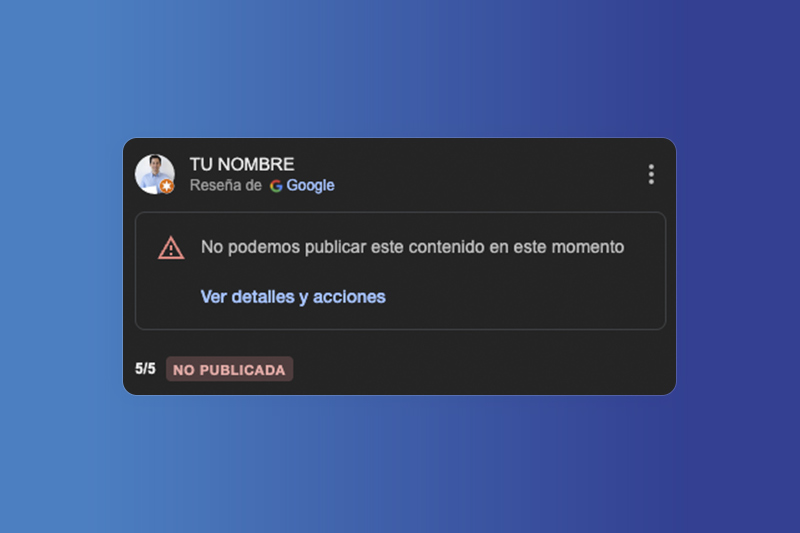
If you’ve written a review on Google Maps and it’s not showing up (or if a customer told you they left a review but it’s not reflected on your profile), here’s why Google may be hiding it.
Why doesn’t Google publish a review?
Google uses artificial intelligence and automated filters to moderate all reviews.
If it detects anything unusual, it may block the review before it’s published. These are the most common reasons:
✅ Lack of verified real experience: Google may hide your review if it suspects you haven’t actually visited the place.
If you posted the review from somewhere other than the business location, the system may reject it.
That’s why it’s a good idea for businesses to use NFC cards to request reviews (especially for businesses where the experience is physical, like restaurants or hotels).
✅ Too short or generic content: Comments like “Very good” or “Excellent” can be considered unhelpful or suspicious (especially if the account is new and has no reviewer history).
✅ Inappropriate language or links: Offensive words, inappropriate language, or suspicious links will trigger a block and prevent the review from being published.
✅ Suspicious account or marked as spam: If your Google profile has been flagged as abusive, none of your reviews will be visible.
Google has also acknowledged occasional bugs where reviews disappear (the most recent in 2025) or take longer to be published.
How to check if your review is visible
Follow these steps:
- Log in to the Google account you used to post the review.
- Go to Google Maps.
- Click on your profile picture > “Your contributions”.
- In the “Reviews” section, you’ll see whether it’s published or pending.
If only you can see it, it’s probably under review or has been filtered..
What to do if your review isn’t published
If Google blocked your review or isn’t showing it:
✉️ Check your email: Google usually sends an email explaining why the review was rejected. You can appeal directly from there.
📝 Add more details: The more specific information you provide about your experience, the better. Mention what you purchased, how the service was, and include photos if possible.
📍 Post from the business location: If you’re at the establishment and use the Google Maps app, the review is more likely to be validated thanks to geolocation.
And if you’re the business owner?
Si un cliente te dice que ha dejado una reseña que no aparece en tu perfil, lamentablemente no puedes hacer If a customer tells you they left a review that isn’t showing on your profile, unfortunately you can’t take direct action as a business. Google only allows the author of the review to appeal the decision.
The best you can do is:
✅ Ask the customer to check their email (including the spam folder).
✅ If they received a message from Google stating their review wasn’t published, they should click the appeal button included in that email.
✅ Encourage them to provide more details about their experience and, if possible, include an image or write the review from the location — this may help with future submissions.
You can also make the process easier by providing NFC cards or QR codes so customers can leave their feedback instantly at your location.
Tools like Opinas.es help you get more real reviews published without hassle.