

Having a Google Business Profile (formerly known as Google My Business) is now essential for any local SEO strategy. But simply filling out your business information once and forgetting about it is not enough. If you want Google to reward your business with better visibility in Maps and local search results, you need to keep your profile active, fresh, and updated.
That is where the real challenge begins: daily business demands, lack of time, and routine tasks often push posting to the bottom of the list. The most effective way to stay consistent without stress is to schedule your Google Business Profile posts in advance.
Why You Should Schedule Posts on Your Google Business Profile
Keeping your business profile updated helps more than your image. It sends a clear signal to Google’s algorithm that your business is active and relevant. When you plan your content ahead of time, you unlock several strategic advantages:
- Massive time savings: Instead of interrupting your workweek every few days to decide what to publish, you can set aside a couple of hours each month and prepare everything in one session.
- Better local SEO performance: Google tends to favor profiles that stay active. A consistent posting schedule shows that your business is alive and engaged, which can improve your visibility against competitors.
- Aligned communication: Scheduling lets you match your Google posts with the rest of your marketing strategy, from promotions and launches to seasonal campaigns, so your message stays consistent everywhere.
- Reach customers at the right moment: You can decide exactly when each post goes live, making it easier to connect with potential customers when they are actively searching for your products or services.
Can You Schedule Google Business Profile Posts Natively?
The direct answer is no. Today, Google allows you to create posts from the business dashboard or through Google Maps, but this action is still designed for real-time publishing only.
The native interface does not include a content calendar or a built-in scheduling feature. If you write a post today and publish it, it goes live immediately. That is why, if you want to build a more professional and scalable local SEO strategy, you need to rely on an external scheduling tool built specifically for that purpose.
How to Schedule Google Business Profile Posts with Opinas
While many platforms feel overloaded with complex features, Opinas is designed with a clean, straightforward interface so you can manage your local SEO in seconds.
The process for leaving your posts fully scheduled is simple and visual:
- Add the content you want to publish: In the top section of the panel, you will find a dedicated area to upload your image in JPG, PNG, or WebP format. Strong visuals can increase engagement and click-through rates.
- Write your message: Just below that, you will see the text box where you can enter your post copy. This is where you should include local keywords and clearly communicate your customer value proposition.
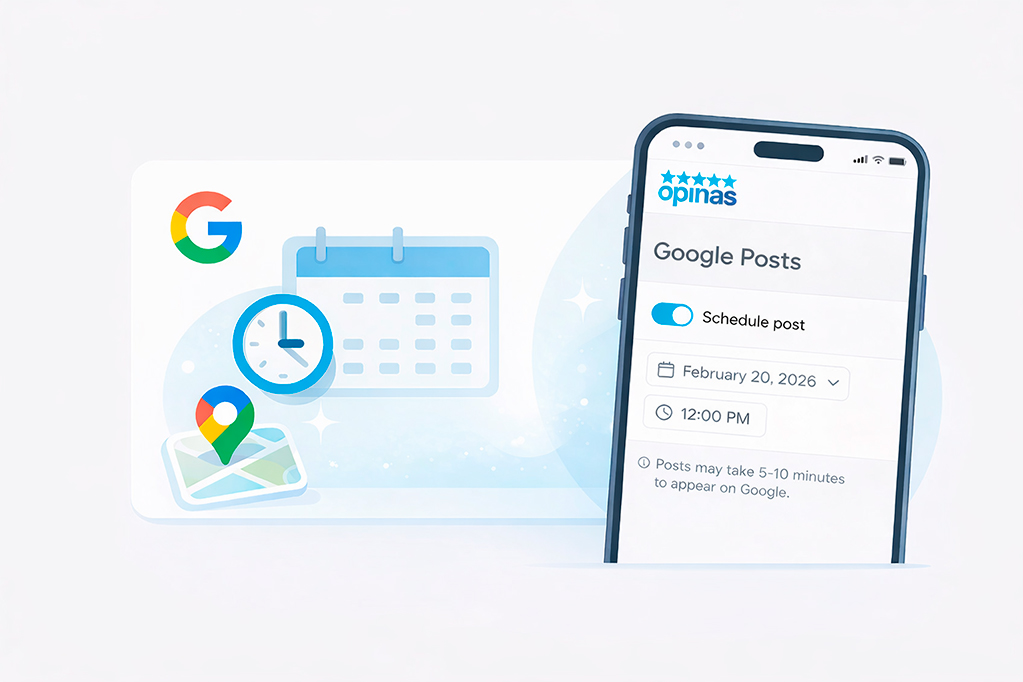
- Turn on scheduling: Instead of clicking the regular Publish button right away, simply enable the Schedule post option.
- Choose the date and time: Once scheduling is activated, a calendar selector appears so you can pick the exact day and time you want your post to go live.
- Confirm and manage everything: Finally, save your post. From the same Opinas dashboard, you can also view your full publishing history, preview how posts appear on Google, edit them, or delete them if your plans change.
What Types of Google Posts Can You Schedule?
Not all Google Business Profile posts serve the same purpose. Varying the type of content you schedule helps you keep users interested and your profile more dynamic:
- Company updates: Perfect for sharing new hours, service updates, team news, or general business announcements.
- Offers and promotions: Ideal for attracting quick attention. You can schedule these posts to go live exactly when your sales, discounts, or limited-time campaigns begin.
- Events: If you are hosting a launch, webinar, in-store event, or special promotion, scheduling event posts in advance helps build awareness and attendance.
3 Key Tips to Make Your Posts Stand Out and Attract Customers
Scheduling helps you save time, but it only works if your content is effective. Use these best practices when writing your posts in Opinas:
- The first few lines matter most: In search results, Google may shorten post text. Make sure the first 100 characters clearly communicate the main message and value proposition.
- Use professional, authentic images: Google can reduce the visibility of low-quality or spammy-looking visuals. Use real, sharp, well-lit images of your business, products, or services.
- Always include a call to action: Do not expect users to guess what to do next. Tell them directly what action to take: Book now, Call today, Request a quote, or Learn more.
Start Automating Your Local SEO Today with Opinas
The goal is not to spend more time in front of a screen every day, but to use the right tools so the work gets done for you. Managing your Google Business Profile well is one of the most profitable ways to attract local customers, and scheduling your content is the key to doing it consistently and at scale.
Try leaving your content calendar ready for the month and enjoy the peace of mind of knowing your Google profile keeps working for your business while you focus on growing it.