

If you run a local business, you know that Google reviews not only improve your reputation but are also key to ranking higher on Google Maps. But the big question is: how can you get Google reviews easily and effectively?
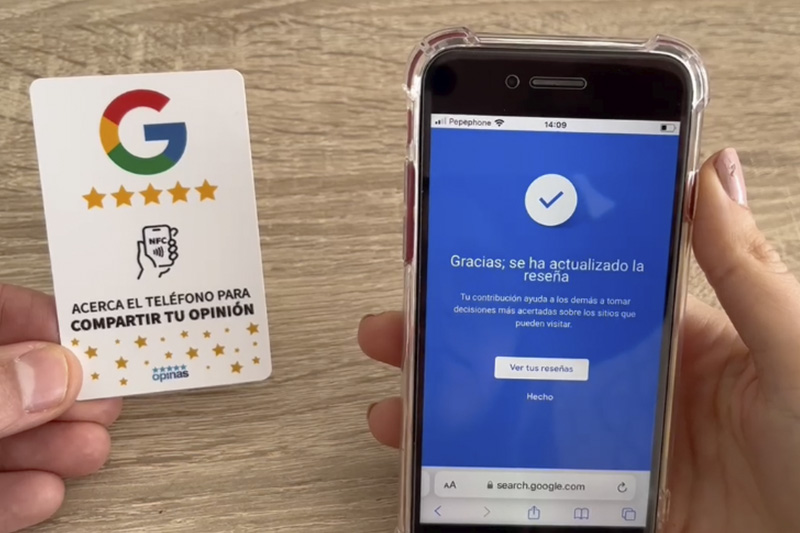
1. NFC cards and stands: ask for a review with just a tap
The most convenient and direct way to get a review is with an NFC card or stand. Thanks to this technology, the customer just needs to tap their phone, and your Google Business Profile opens instantly so they can leave a review.
It’s quick, simple, and doesn’t interrupt the customer experience. You can also place a stand on your counter or carry the card with you if you offer home services.
👉 At OPINAS, we work with personalized NFC cards and stands that make this process seamless. Just hand it over, and the rest happens automatically.
2. QR codes: the classic that always works
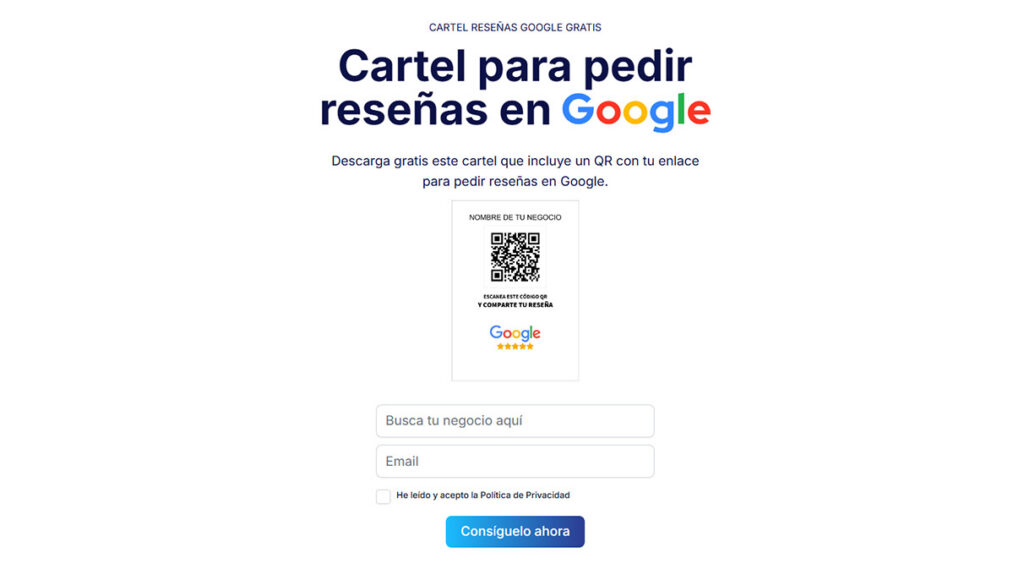
Another effective and widely recognized option is to use a QR code that directs customers to your Google review link. They can scan it with their phone’s camera (just like in many restaurants) and leave their opinion in seconds.
The ideal setup is to place an eye-catching sign in your store or customer service area.
🎁 If you don’t have one yet, we provide a FREE tool to generate your Google review poster with a QR code so you can start getting more reviews today.
3. Involved employees = more reviews
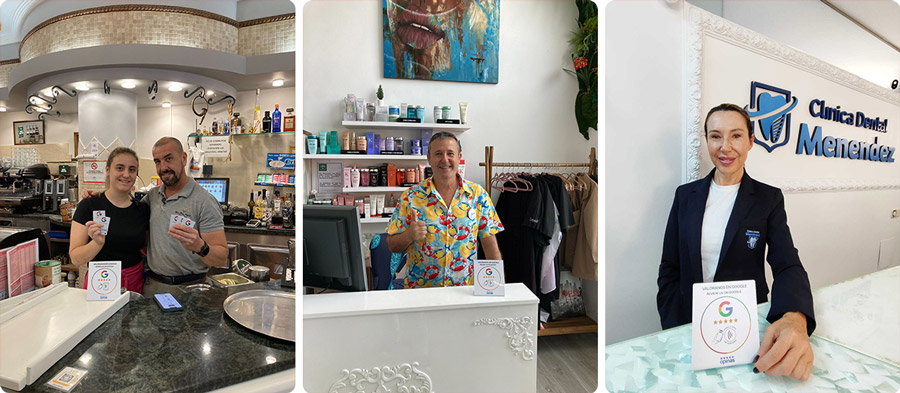
The best results come when your whole team is committed.
It’s essential for employees to ask customers if they’re satisfied and, if they are, kindly encourage them to leave a review.
Here’s where technology helps: with the OPINAS review management software, you can see which employees are getting the most reviews, motivate them, and reward their efforts. This way, you turn great customer service into a powerful marketing tool.
What if you can’t see the customer’s reaction? Filter the reviews
When you work remotely — for example, offering online services or sending an SMS or email after a visit — you can’t always tell if the customer is happy. You don’t have body language or immediate feedback.
In these cases, the best approach is to use a short pre-survey:
How was your experience?
👍 Everything was good → Redirect to the Google review form
👎 There was an issue → Redirect to an internal feedback form
This way, you channel possible complaints before they reach Google, and only happy customers proceed to leave a public review. 🧠 This feature is already built into OPINAS and adapts automatically to each user’s response.
4. Request by WhatsApp: ideal for remote services
If you offer home services or sell online, asking for reviews via WhatsApp is an excellent option.
You won’t see the customer’s reaction in real time, but it’s a direct way to reach them after a purchase or service.
All you need is the direct link to your Google Business Profile.
🎁 And yes, we also provide a free tool to create a direct Google review link that you can share through any channel (messages, email, social media…).
5. Automated post-service email
If your business uses a booking system or CRM, you can automate a thank-you email after each service with a message like:
“Thank you for your visit. Would you leave us your opinion? It only takes 30 seconds.”
By including the direct Google review link, you’ll have a discreet, professional, and consistent way to gather new feedback.
At OPINAS, we already help over 200 local businesses across Spain gain more genuine reviews and improve their average rating on Google.
From restaurants and clinics to shops, workshops, and hotels, our system is designed so any business can stand out on Google Maps without complications.
👉 Contact us and we’ll guide you step by step.